Capital Empire.
A new accounting firm website for a London practice that works with clients in five languages. Instead of a heavy, outdated site, I built a landing page: a navy-and-gold brand, custom widgets, five language versions and enquiries that land straight in Kommo CRM with the client’s language.
Accounting in the client’s language, enquiries straight to the CRM
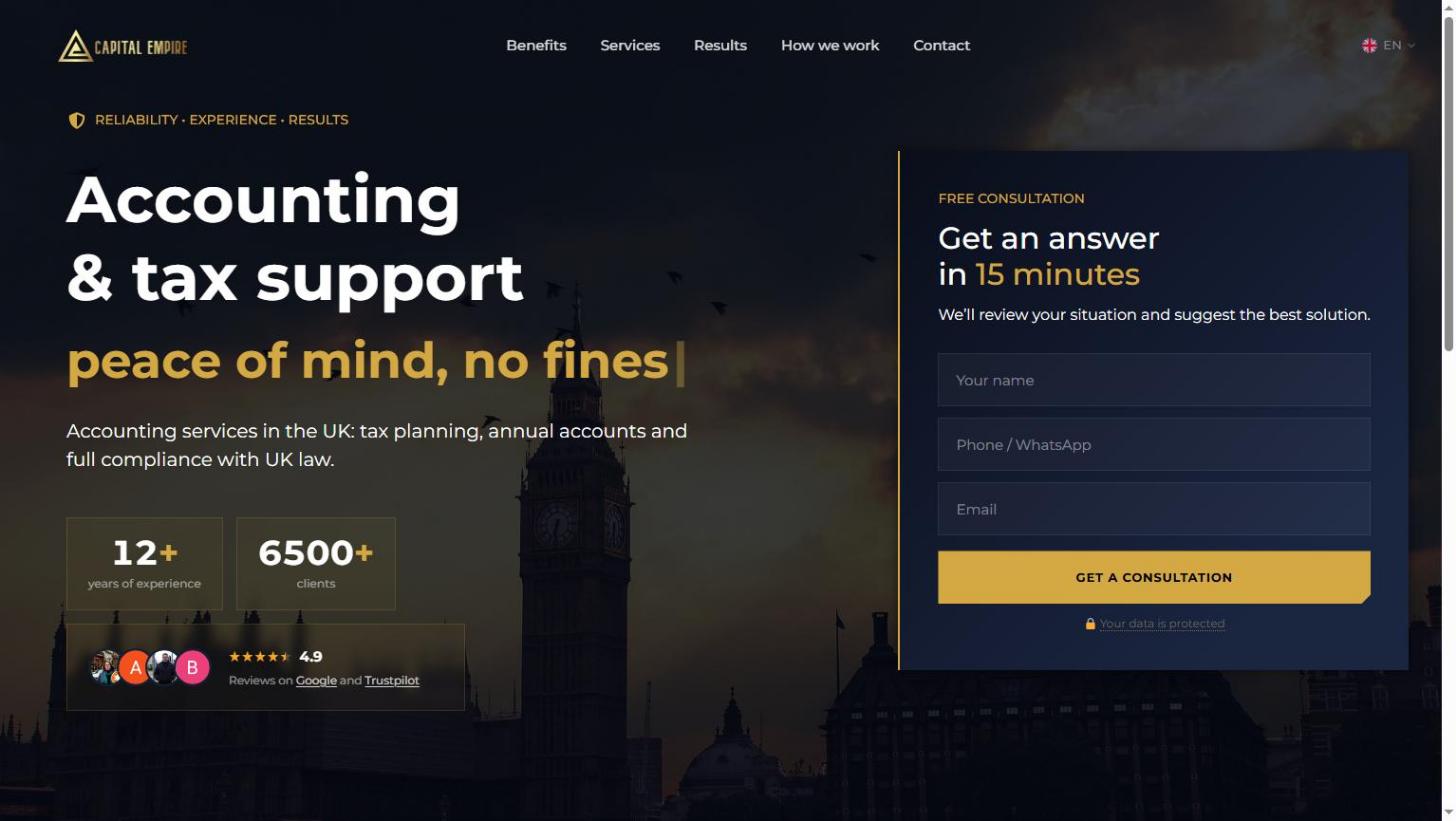
An old accounting firm website that was hard to grow
Capital Empire clients come with a specific problem: a letter from HMRC, a deadline, a benefits claim. However, the old site was built on a template with a slider and stock photos of London, and said almost nothing about how the firm solves these problems.
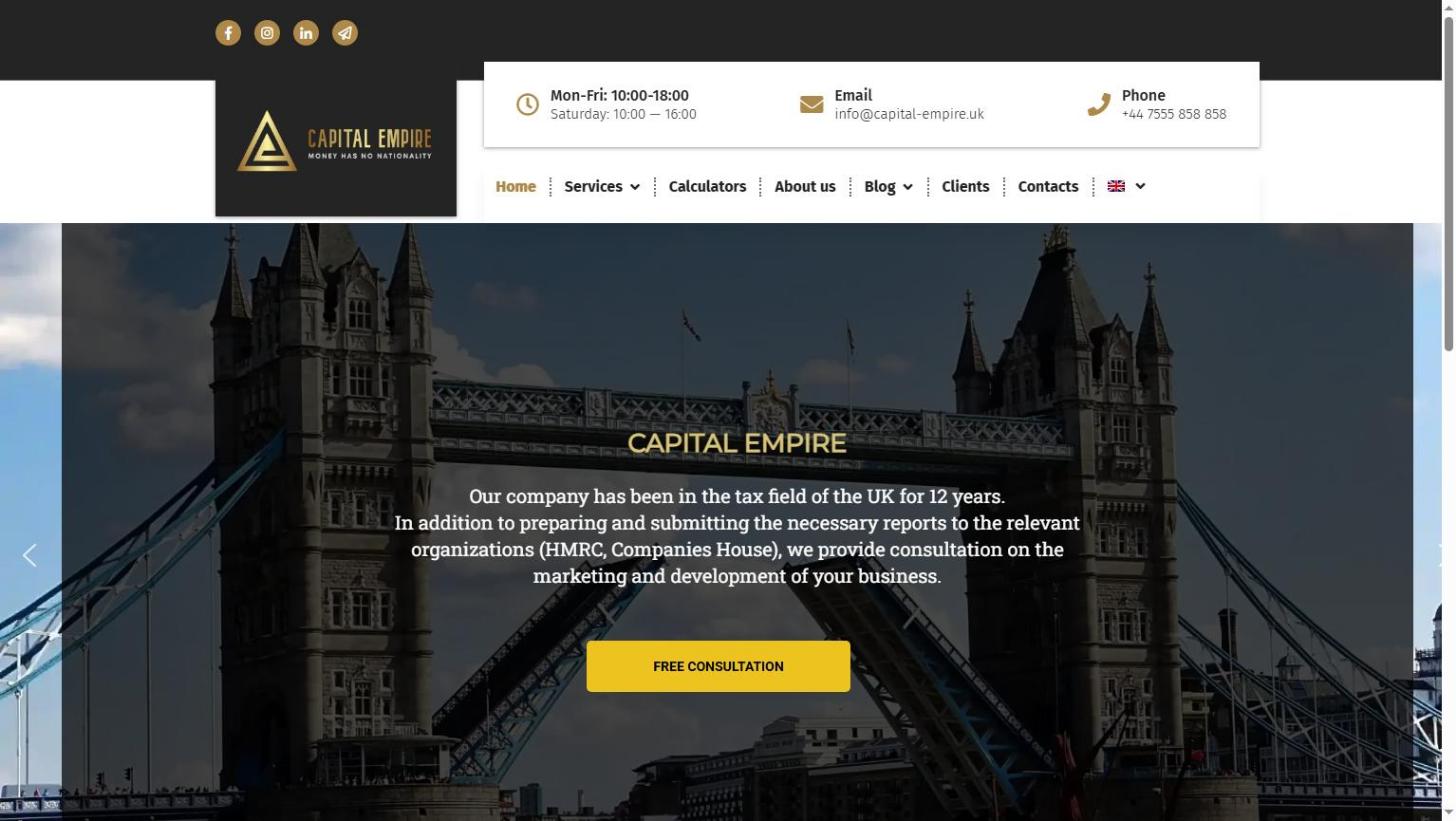
A landing page that speaks the client’s language
From “I have a problem” to a consultation
People come to an accountant anxious: a letter from HMRC, a looming deadline, no idea how much to pay. So the page first shows these situations are familiar, then proves the firm handles them, and only then asks for an enquiry.
- First screentyping headline and form
- Numbers and ratingyears of experience, clients, 4.9
- Familiar situations5 typical pain points
- What you get5 benefits
- Real casesbefore-and-after numbers
- Services6 areas, from LTD to benefits
- How we work3 steps
- Teamslider with photos and roles
- Final block“Penalties. Taxes. Visas. We’ll handle it.”
- Sticky bara button always within reach
Not an Elementor template
The builder’s standard blocks didn’t deliver the quality needed, so the key elements are hand-coded in HTML, CSS and JS and embedded in Elementor. However, they can still be edited in the admin, and they look and behave like custom-coded markup.
Typing headline
The key word in the H1 changes with a typing effect. The size is calculated with clamp() and a container query, so the line never jumps on any screen or in any language.
Counters and rating
The numbers count up when the block scrolls into view. In addition, the rating and client avatars sit next to them, so trust builds before the first scroll.
Stories in a modal
First, the card shows the headline number; then the full story opens over the page. As a result, visitors keep their place and never leave for a separate URL.
Swipe slider
Thirteen specialists with photos and roles. On mobile you swipe, while on desktop you use arrows, and there are no heavy libraries.
Sticky header and mobile menu
The header stays on top and compacts on scroll. On mobile the menu slides in from the side, and the language switcher with flags is always at hand.
Consultation bar and opening hours
The bar with a button slides up once the visitor has read the first screen. Meanwhile, in the footer, the opening hours show whether the office is open right now, London time.
English, Ukrainian, Russian, Romanian and Lithuanian
Because the firm’s clients speak different languages, the accounting firm website answers each in their own. By default, English sits at the domain root, whereas the other versions live in their own folders.
Enquiries go straight to Kommo, with the client’s language
The website form creates a deal in Kommo CRM. As a result, the manager sees not just the name and phone number, but the language the person read the site in, and replies in the way that suits the client.
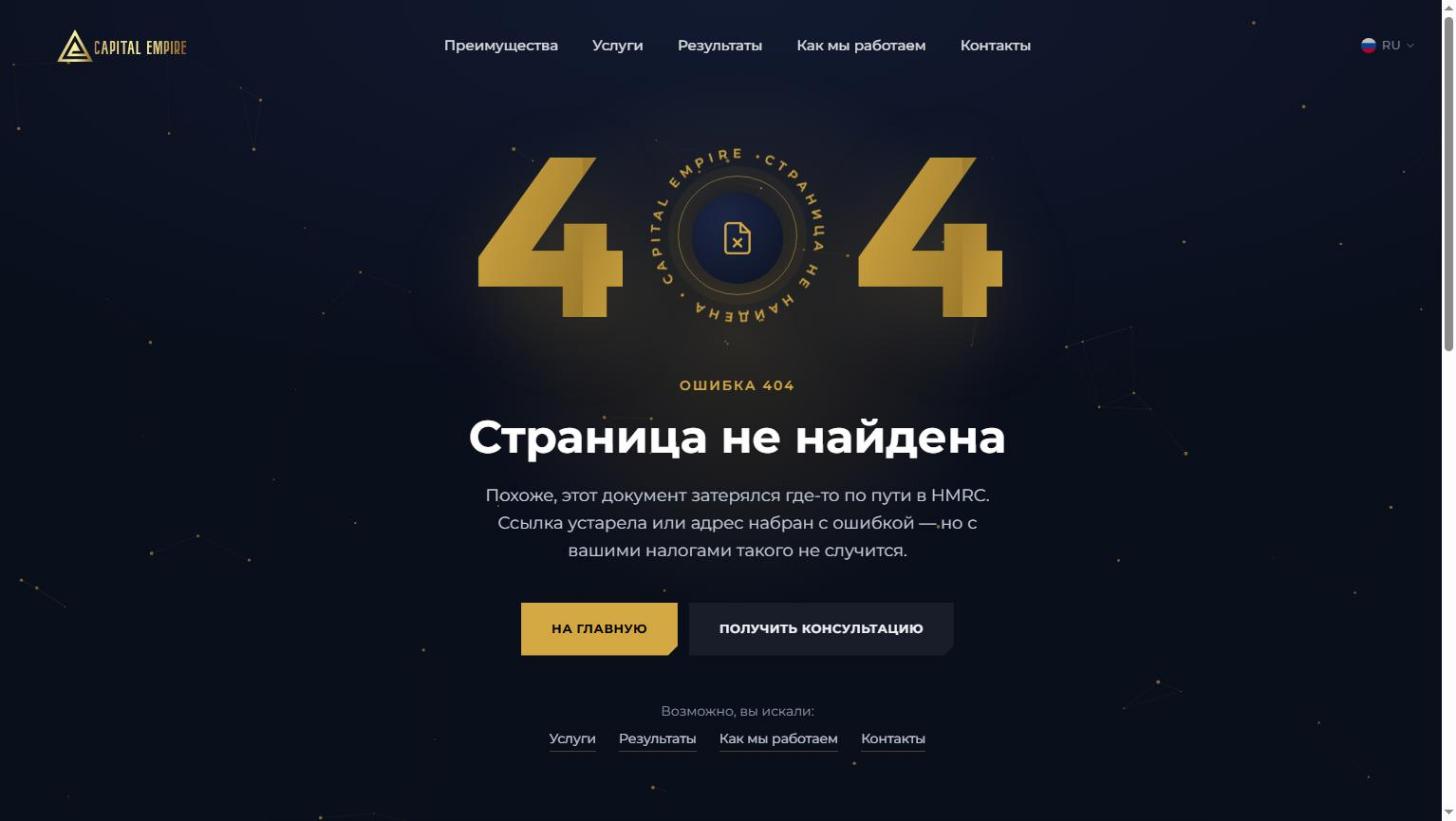
Even the 404 sells a consultation
Besides the home page, I built the service pages in all five languages. The 404 page is on-brand, jokes about HMRC and immediately offers to go back home or book a consultation.
A landing page with custom widgets and a form that sends enquiries to Kommo CRM.
On-brand, with hints on where to go next.
New pages in every language, styled consistently with the site.
Titles and descriptions for every version, hreflang between languages, all pages in the SEO green zone.
Visit the Capital Empire website
Open the landing page, switch the language and see how the page leads from problem to consultation.